
The Richard J Nieves Photography Podcast Episode 14: Camera Storage
Probably one of the most important, but neglected pieces of gear we don’t give too much thought about, but really should, is storage. The memory cards that go into your camera. The thing that carries all your work. It’s necessary that you get the right card for your situation.

Episode 14
Camera Storage
Probably one of the most important, but neglected pieces of gear we don’t give too much thought about, but really should, is storage. The memory cards that go into your camera. The thing that carries all your work. It’s necessary that you get the right card for your situation.
Links
Podcast Homepage https://www.rjnphotopod.com
Portfolio https://www.richardjnphoto.com
Blog https://www.richardjnphoto.com/blog
Instagram https://www.instagram.com/rich_photog/
Honeybook Link http://share.honeybook.com/richard68357 20% off your first year of HoneyBook
Podcast Episodes on Apple Podcasts
Please follow me on Instagram @rich_photog, that r-i-c-h-underscore-p-h-o-t-o-g
If you’d like to schedule your next portrait session or give us the honor of photographing your wedding, visit my website www.richardjnphoto.com or email katherine@richardjnphoto.com where my partner will guide you along your journey with us.
Don’t forget to keep creating, stay humble, and enjoy the journey.
Transcript
The most common types of memory cards used by modern photographers include SD cards, Micro SD cards, CF cards, and CF express cards.
SD cards are, by far, the most common type of memory card used by cameras these days. They are small and affordable. You can find them as easily as you can a snickers bar in a deli.
Micro SD cards are very small storage units meant to be used with smaller devices like drones, small cameras, and other undersized devices.
CF and CF express cards are typically found in more advanced cameras meant for professionals. They are a bit bigger than an SD card, but they are more reliable in terms of build and data retention.
There's other types of memory cards you can buy, but the ones I just mentioned are the most common of the bunch.
When shopping for a memory card, first identify which of those memory cards your camera accepts.
You'll then need to decide how much storage you need. For me, If I'm shooting in studio where I can tether my camera to my computer, which allows me to send my photos I take directly to my computer instead of the memory card, then I'll choose a smaller amount like 32gb or 64gb. If I'm shooting a wedding where I wont necessarily have enough time to keep backing up my photos as I shoot, I'll opt for a larger capacity card like 64gb to 128gb. However, i'm a little odd in that I'd typically stick with 64gb because then I have no choice but to switch cards, which allows me to have photos separated in case of card failure. I wont lose everything I've shot that day. If you're shooting portraits outdoors, I'd also recommend sticking with a 64gb to 128gb card.
I started out with 32gb cards. I always found myself filling up the space very quickly and I had to stop what I was doing to sacrifice potential great photos for more photos. The hassle isn't worth it.
After you've chosen your storage amount, you'll have to decide what speeds you want for your memory card. The values you'd need to look out for are read and write speeds. When you have higher values for read and write speed, your camera can take more photos in the moment because your memory card and handle the speed at which you're shooting. The time it takes for your memory card to export your photos to another device is dependent on your write speed.
I don't want you to get jarred when you see prices for memory cards with better read and write values. I've paid more than $100 for one memory card, but I know the performance of the card will allow me to be as productive as I can be. I'd recommend you don't try to save a couple of bucks when purchasing your cards. Spend a little extra on quality cards. The worst thing that can happen when skimping on memory card quality is they can slow you down if the read speeds are slow, and cheaper cards, though it can still happen to expensive cards but not as frequently, is they can fail and corrupt your files. A shoot lost is a hurtful thing to happen to any photographer.

The Richard J Nieves Photography Podcast Episode 13: The Most Important Goal For Working Photographers
If you’re photographing to support you and your family, I truly believe you should have one main goal when proving photos for clients. This one goal could fuel your work in ways you’ve never dreamt. This one goal could be the thing that sets you apart from the rest. The goal, for all of us working photographers, is to be in service of our clients.

Episode 13
The Most Important Goal For Working Photographers
If you’re photographing to support you and your family, I truly believe you should have one main goal when proving photos for clients. This one goal could fuel your work in ways you’ve never dreamt. This one goal could be the thing that sets you apart from the rest. The goal, for all of us working photographers, is to be in service of our clients.
Portfolio https://www.richardjnphoto.com
Blog https://www.richardjnphoto.com/blog
Instagram https://www.instagram.com/rich_photog/
Honeybook Link http://share.honeybook.com/richard68357 20% off your first year of HoneyBook
Podcast Episodes on Apple Podcasts
Please follow me on Instagram @rich_photog, that r-i-c-h-underscore-p-h-o-t-o-g
If you’d like to schedule your next portrait session or give us the honor of photographing your wedding, visit my website www.richardjnphoto.com or email katherine@richardjnphoto.com where my partner will guide you along your journey with us.
Don’t forget to keep creating, stay humble, and enjoy the journey.

The Richard J Nieves Photography Podcast Episode 12: Shooting Modes
On your DSLR or Mirrorless camera, you'll most likely have a dial on the top of your camera body with letters including Auto, A, S, P, and M among others depending on your camera. Those are your shooting modes. That's what we'll be discussing today.

Episode 12
Shooting Modes
Join Rich as he discusses the differences between RAW and JPG files, as well as when and why to use them.
Portfolio https://www.richardjnphoto.com
Blog https://www.richardjnphoto.com/blog
Instagram https://www.instagram.com/rich_photog/
Honeybook Link http://share.honeybook.com/richard68357 20% off your first year of HoneyBook
Podcast Episodes on Apple Podcasts
Please follow me on Instagram @rich_photog, that r-i-c-h-underscore-p-h-o-t-o-g
If you’d like to schedule your next portrait session or give us the honor of photographing your wedding, visit my website www.richardjnphoto.com or email katherine@richardjnphoto.com where my partner will guide you along your journey with us.
Don’t forget to keep creating, stay humble, and enjoy the journey.

The Richard J Nieves Photography Podcast Episode 11: 2021
Even though I lost my 9 to 5, my time grew exponentially and I was able to have the energy to focus on my passion.
Maybe you’re in the same boat as me. You lost your main source of income and now you feel the desperation. I want you to take that feeling and turn it into motivation. Turn the worry into a spark that’ll ignite your business into the source of energy people desperately crave.
Make plans. Get focused. Put in the work. Show us what you’re made of. It’s all we can do in the beginning of 2021.
Episode 11
2021
Join Rich as he discusses the differences between RAW and JPG files, as well as when and why to use them.
Links
Portfolio
Instagram
Wikipedia entry for RAW files
Wikipedia entry for JPG files
Phlearn's Tutorial for working with RAW files in Photoshop
Get 20% off your first year of Honeybook using my link.
http://share.honeybook.com/richard68357
Transcript
Welcome to the 11th episode of The Richard J Nieves Photography Podcast!
I’m Richard J Nieves, portrait and wedding photographer, and owner of Richard J Nieves Photography located in The Bronx in New York City.
2020 was a tough year. That’s the most obvious statement I could make right now, but it’s true and it’s why we’re here today.
2021 has the stigma of 2020 to contend with, but it’s a new year. You and me have a new beginning where we can get back our bearings. We can achieve our goals and provide the services we’ve committed ourselves to producing.
In the beginning of 2020, I was one of the many people that got a fire lit under me when I lost my job in March.
My main source of income, gone within a day. I was worried about providing for my family. My future was cloudy.
Thankfully I was able to get assistance and I have an amazing support team in my family.
I was so stressed and am still dealing with that tension.
However, that stress put fuel in my tank for this photography business.
By the end of 2020, I had trippled my income from photography compared to 2019, got published in multiple international magazines, shot my first short film that’s still in the works, and started two podcasts.
For 2021, I’ll continue to expand on the reach and experience of the shows I’ve started. My business and art will flourish as long as I keep laser focused on it’s success.
Even though I lost my 9 to 5, my time grew exponentially and I was able to have the energy to focus on my passion.
Maybe you’re in the same boat as me. You lost your main source of income and now you feel the desperation. I want you to take that feeling and turn it into motivation. Turn the worry into a spark that’ll ignite your business into the source of energy people desperately crave.
Make plans. Get focused. Put in the work. Show us what you’re made of. It’s all we can do in the beginning of 2021.
I’ll also be including links to the gear I use in the description and blog post for this episode.
Please follow me on Instagram @rich_photog, that r-i-c-h-underscore-p-h-o-t-o-g
If you’d like to schedule your next portrait session or give us the honor of photographing your wedding, visit my website www.richardjnphoto.com or email katherine@richardjnphoto.com where my partner will guide you along your journey with us.
Don’t forget to keep creating, stay humble, and enjoy the journey.
Catch you later.

The Richard J Nieves Photography Podcast Episode 10: RAW vs. JPG
You’ve heard me mention in passing the ways RAW Files and JPG are different. We’re going to dedicate this episode to it so by the end you’ll be more informed on when to shoot in either file format.
RAW files are minimally processed files that, after editing and exporting them from an image editor such as Adobe Photoshop, Lightroom, Capture One, or Luminar for example, can be turned into a proper image file, such as a JPG.
A JPG file is a compressed, processed image created after you press your shutter button. You’re allowing your camera to determine the best settings to get proper exposure.

Episode 10
RAW vs. JPG
Join Rich as he discusses the differences between RAW and JPG files, as well as when and why to use them.
Links
Portfolio
Instagram
Wikipedia entry for RAW files
Wikipedia entry for JPG files
Phlearn's Tutorial for working with RAW files in Photoshop
Get 20% off your first year of Honeybook using my link.
http://share.honeybook.com/richard68357
Transcript
Welcome to the 10th episode of The Richard J Nieves Photography Podcast!
I’m Richard J Nieves, portrait and wedding photographer, and owner of Richard J Nieves Photography located in The Bronx in New York City.
You’ve heard me mention in passing the ways RAW Files and JPG are different. We’re going to dedicate this episode to it so by the end you’ll be more informed on when to shoot in either file format.
RAW files are minimally processed files that, after editing and exporting them from an image editor such as Adobe Photoshop, Lightroom, Capture One, or Luminar for example, can be turned into a proper image file, such as a JPG.
A JPG file is a compressed, processed image created after you press your shutter button. You’re allowing your camera to determine the best settings to get proper exposure.
Without getting too thorough with the differences, the biggest variances between the two file formats that most photographers will see are file size and quality of edit.
RAW files are uncompressed, meaning they have a lot more data stored within it than a compressed file, such as a JPG file. All that data contains large amounts of exposure information, such as in highlights and shadows, for example, that can be altered cleanly in your image editor of choice. With all that data comes a larger file. If you’re photographing in RAW with a minimal amount of storage in your camera, your storage may be filled before you finish your work.
JPG images, as I just mentioned, are compressed, so their file size is much smaller than a RAW file, but you lose the ability to properly adjust exposure in post processing.
JPG files are akin to a bowl of spaghetti. You have your final product in front of you, ready to consume. You realize after the fact you didn’t like the garlic powder you added. It’s too strong. Sadly, you can’t take it out of the recipe. With JPG files, if you’ve done something to push the exposure to a place you don’t like, it’s fairly difficult to recover details and change exposure in a dramatic way.
You can make small adjustments, but the amount of work that can be done is minimal compared to a RAW file.
Some camera’s will allow you to shoot in RAW and JPG at the same time. The advantage of that is you’ll have processed images ready to be shared at a moments notice without much work involved. You’ll also have those RAW files in case you need to make drastic changes to the exposure. The negative is you now have a large RAW file and a JPG file on your storage device, which will limit how much you can photograph.
You can also choose the quality of your RAW and JPG files. You can choose to forgo quality of image for file size, or vice versa. Thats great for when you’re looking to share an image on social media where we’re only seeing a very small display.
If you’re new to photography, id recommend you shoot in JPG in order to first get a feel of your camera without the stress of having to edit images after taking your picture. After you get the hang of photographing, you can move on to using RAW files and practice editing those.
When I first started photographing, I shot in JPG for family. When I’d mess up a photograph that someone really wanted, I couldn’t salvage that moment because I shot in a compressed file format. Now that I know how to edit RAW files, I shoot in a combination of RAW files and JPG so my family can have their photos when they want them and I can have photos to edit in my own way down the road.
I’ll include examples of JPG and RAW images processed and lightly processed in the blog post for this episode.
I’ll also be including links to the gear I use in the description and blog post for this episode.
Please follow me on Instagram @rich_photog, that r-i-c-h-underscore-p-h-o-t-o-g
If you’d like to schedule your next portrait session or give us the honor of photographing your wedding, visit my website www.richardjnphoto.com or email katherine@richardjnphoto.com where my partner will guide you along your journey with us.
Don’t forget to keep creating, stay humble, and enjoy the journey.
Catch you later.

The Richard J Nieves Photography Podcast Episode 8: What is Color Balance?
Welcome to the third episode of the Richard J Nieves photography podcast. I'm Richard J Nieves portrait and wedding photographer, and owner of Richard J Nieves Photography located in the Bronx in New York City. It's great to have you here, ready to listen, learn and use the information we're putting out here for you today.
We'll be diving into the second section of the exposure triangle called shutter speed. Your DSLR or mirrorless camera has a small shutter that rises and lowers in front of your camera sensor at a specific rate managed by you or the camera's preference, depending on your current mode of shooting, the faster your shutter speed closes, the less light reaches your sensor, oppositely, the slower you show to speed, the more light spilling on your sensor.

Episode 8
What is Color balance?
Transcript
Ad Links
Welcome to the 8th episode of The Richard J Nieves Photography Podcast!
I’m Richard J Nieves, portrait and wedding photographer, and owner of Richard J Nieves Photography located in The Bronx in New York City.
When I first picked up a camera, I made the mistake of not considering my color balance.
I’d look at my photos and wonder why everyone had the complexion of an oompah loompah.
I didn’t have my color balance or white balance set correctly for my surroundings.
Color balance, when referring to the tones of a photo, are a combination of cool or warm kelvin’s or temperature, and hues of green or purple.
When adjusting your color balance, you’re goal, for color accuracy, is to balance your colors to make sure your tones stay true to life.
Creatively, you can leave your color balance however you like as long as you are okay with the colors in your photograph.
Fields like fashion, product, or beauty photography require your colors to be as close to reality as possible.
You can use white balance to express a feeling you want to convey to your viewer.
Warm tones convey warmth, intimacy, and comfort. Cool tones can convey cold, distance, and loneliness.
Adjusting skin tones in an image can be fixed by, sometimes, only adjusting your white balance.
<Planoly Ad>
As a new business owner, social media is a great tool to get your name and work out for everyone to see.
I use Planoly to stay organized and automate my social media workflow. I can create all of my posts on a Sunday and have them automatically sent into the world at times and days I choose, or Planoly can choose them for me based on the time when my followers are more active.
Planoly is one of the best business tools I use to stay organized and stress free.
Click the Planoly link in the transcript to start your experience with Planoly, and support this podcast.
Thank you for your support, now let’s get back to the show.
If you’re shooting RAW, white balance can be easily adjusted in post processing if you didn’t set it correctly in camera. If you’re shooting in JPG, it’s highly advised you make sure your white balance is set properly in camera because it is difficult to correct color in post processing on a JPG file. There isn’t enough data within the compressed JPG file to change, where as there’s an abundance of data within a RAW file.
Camera’s vary in the amount of white balance options available to you, but for the most part there’s a few to keep in mind.
Auto white balance allows the camera to set what it considers to be the color balance for your surroundings.
Some cameras have scenes such as incandescent, cloudy, or flash so you can set the white balance depending on your unique situation.
You can even have complete control and set a specific white balance based on your preference.
I’ll include a link to the Wikipedia page for color balance for a more in-depth lesson on the subject.
I’ll also include examples of different color balances in the blog post for this episode in my website, www.richardjnphoto.com/blog.
<HoneyBook Ad>
HoneyBook is my CRM of choice because of the ease of creating leads, managing invoices and contracts, and integration with other apps I already put into my workflow.
I recently started offering Business Solutions for small shops. HoneyBook allowed me to send personalized contracts and reoccurring invoices to my clients. It made the process of working with my clients and getting paid so easy and less stressful than it would be without HoneyBook.
If you follow my link in this episode’s description to HoneyBook, you’ll score 20% off your first year of HoneyBook and you’ll be helping fund more education and tips for photographers. Thank you so much for your support and I really hope you enjoy the HoneyBook experience.
Please follow me on Instagram @rich_photog, that r-i-c-h-underscore-p-h-o-t-o-g
If you’d like to schedule your next portrait session or give us the honor of photographing your wedding, visit my website www.richardjnphoto.com or email katherine@richardjnphoto.com where my partner will guide you along your journey with us.
Don’t forget to keep creating, stay humble, and enjoy the journey.
Catch you later.
Please follow me on Instagram @rich_photog.
If you’d like to schedule your next portrait session or give us the honor of photographing your wedding, visit my website www.richardjnphoto.com or email katherine@richardjnphoto.com where my partner will guide you along your journey with us.
Don’t forget to keep creating, stay humble, and enjoy the journey.
Catch you later.


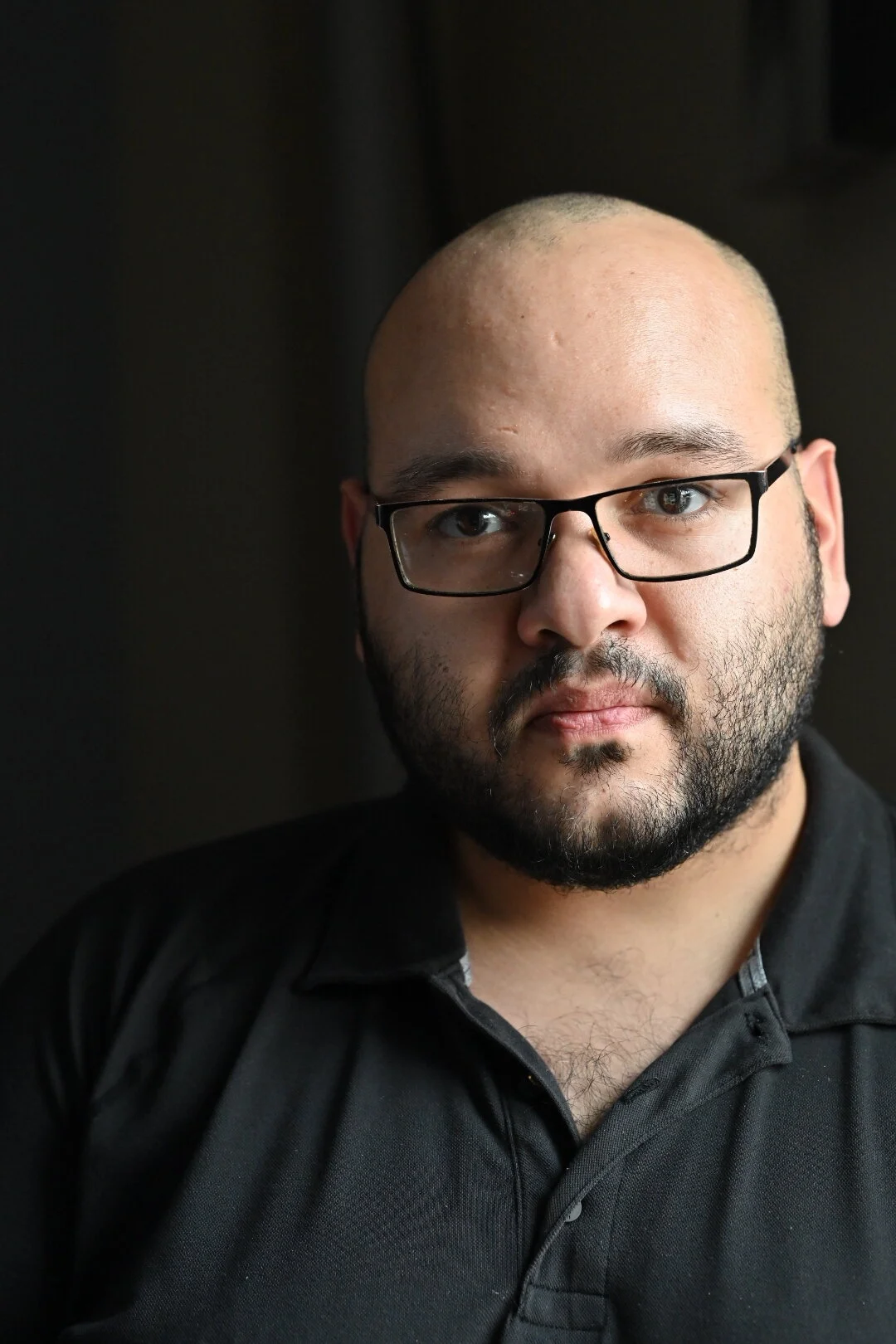

The above examples are of me taken at different white balance settings in my camera ranging from auto, cloudy, incandescent and flash.
The Richard J Nieves Photography Podcast Episode 7: What Is A CRM?
Welcome to the third episode of the Richard J Nieves photography podcast. I'm Richard J Nieves portrait and wedding photographer, and owner of Richard J Nieves Photography located in the Bronx in New York City. It's great to have you here, ready to listen, learn and use the information we're putting out here for you today.
We'll be diving into the second section of the exposure triangle called shutter speed. Your DSLR or mirrorless camera has a small shutter that rises and lowers in front of your camera sensor at a specific rate managed by you or the camera's preference, depending on your current mode of shooting, the faster your shutter speed closes, the less light reaches your sensor, oppositely, the slower you show to speed, the more light spilling on your sensor.

Episode 7
What Is A CRM?
Transcript
Welcome to the 7th episode of The Richard J Nieves Photography Podcast!
I’m Richard J Nieves, portrait and wedding photographer, and owner of Richard J Nieves Photography located in The Bronx in New York City.
Congratulations on starting your photography business!
I know it was daunting to plan the whole thing and get out there, but you did it, and now you need to get paid.
To stay organized, look professional to your clients, and make your life so much easier, you need a CRM. A customer relationship manager.
A CRM is a software that’ll allow you to manage interactions between your company and your clients in an organized way.
With a CRM, you can manage proposals, invoices, dates, appointments, calls, and so much more in one central location, being the app.
When I started, I used email, spreadsheets, the notes app, and money transfer apps to manage all the things my current CRM can manage alone.
I use HoneyBook, but there’s a slew of options for you. Each has a trial period where you can figure out what’s best for you.
With a CRM, you won’t get discombobulated over managing multiple pieces of software in multiple tabs on your browser or shifting through apps on your tablet or smartphone.
In just one location, one app, you’ll find all that you need to keep your business running smooth.
Why I chose and stayed with HoneyBook was the ease of creating leads, managing invoices and contracts, and integration with other apps I already put into my workflow.
I recently started offering Business Solutions for small shops. HoneyBook allowed me to send personalized contracts and reoccurring invoices to my clients. It made the process of working with my clients and getting paid so easy and less stressful than it would be without HoneyBook.
If you follow my link in this episode’s description to HoneyBook, you’ll score 20% off your first year of HoneyBook and you’ll be helping fund more education and tips for photographers. Thank you so much for your support and I really hope you enjoy the HoneyBook experience.
Please follow me on Instagram @rich_photog.
If you’d like to schedule your next portrait session or give us the honor of photographing your wedding, visit my website www.richardjnphoto.com or email katherine@richardjnphoto.com where my partner will guide you along your journey with us.
Don’t forget to keep creating, stay humble, and enjoy the journey.
Catch you later.
The Richard J Nieves Photography Podcast Episode 6: What Is The Sensor?
Welcome to the third episode of the Richard J Nieves photography podcast. I'm Richard J Nieves portrait and wedding photographer, and owner of Richard J Nieves Photography located in the Bronx in New York City. It's great to have you here, ready to listen, learn and use the information we're putting out here for you today.
We'll be diving into the second section of the exposure triangle called shutter speed. Your DSLR or mirrorless camera has a small shutter that rises and lowers in front of your camera sensor at a specific rate managed by you or the camera's preference, depending on your current mode of shooting, the faster your shutter speed closes, the less light reaches your sensor, oppositely, the slower you show to speed, the more light spilling on your sensor.

Episode 6
What Is The Sensor?
Transcript
Episode 6: Sensor
Welcome to the 6th episode of The Richard J Nieves Photography Podcast!
I’m Richard J Nieves, portrait and wedding photographer, and owner of Richard J Nieves Photography located in The Bronx in New York City.
Underneath the hood of your camera is where all of the magic happens. Where the light that enters your camera goes and become to beginning of a photography.
You’ll see it when you take the lens off your DSLR or mirrorless camera:
It’s called the sensor.
The sensor is what takes all the information fed to it by you and the world around you and can produce, for us photographers, two very important products:
A negative or RAW file, and a photograph.
35mm cameras had film that you’d load into them that would produce a negative after you took a picture.
That little strip of film would then be processed in a special room called a dark room.
The equivalent of that now is when you take your memory card, inject it into your computer and upload those digital negatives or RAW files into an image processor such as Lightroom, Capture 1, and many more.
You can’t give your client a RAW file and expect them to share it over social media or print it instantly. That file needs to be put into a one of the aforementioned photo editing software where it can be processed and exported as a proper digital photograph.
That’s why learning how to manipulate light is so important for a photographer. Light reveals everything around us.
The sensor reads all that light, sees how it bounces off objects, and shapes all that information into a negative or processed photo for your use.
If you’ve chosen to shoot JPEG, then it makes it easier to take a photo and get it out into the world. Your camera will use its own color science and formulas to post process your image in camera and give you a proper photograph file to share immediately.
We’ll discuss the advances and disadvantages of shooting in different file formats in a future show.
Please follow me on Instagram @rich_photog, that r-i-c-h-underscore-p-h-o-t-o-g
If you’d like to schedule your next portrait session or give us the honor of photographing your wedding, visit my website www.richardjnphoto.com or email katherine@richardjnphoto.com where my partner will guide you along your journey with us.
Don’t forget to keep creating, stay humble, and enjoy the journey.
Catch you later.
The Richard J Nieves Photography Podcast Episode 5: Using The Exposure Triangle to Make a Photograph
Welcome to the third episode of the Richard J Nieves photography podcast. I'm Richard J Nieves portrait and wedding photographer, and owner of Richard J Nieves Photography located in the Bronx in New York City. It's great to have you here, ready to listen, learn and use the information we're putting out here for you today.
We'll be diving into the second section of the exposure triangle called shutter speed. Your DSLR or mirrorless camera has a small shutter that rises and lowers in front of your camera sensor at a specific rate managed by you or the camera's preference, depending on your current mode of shooting, the faster your shutter speed closes, the less light reaches your sensor, oppositely, the slower you show to speed, the more light spilling on your sensor.

Episode 5
Using The Exposure Triangle to Make a Photograph




Transcript
Welcome to the fifth episode of the Richard J Nieves Photograph podcast. I'm Richard J Nieves, portrait and wedding photographer and owner of Richard J Nieves Photography, located in the Bronx in New York City. When taking the picture you intend on making, there is a balance between the three legs of the exposure triangle we've previously discussed the aperture. shutter speed, and ISO that you must manage in order to make the photograph. Along with those, depending on your situation, you must have intent, imagination and adaptability. I'll share with you an example that'll hopefully help you visualize in your mind how best to use the exposure triangle in your photos.
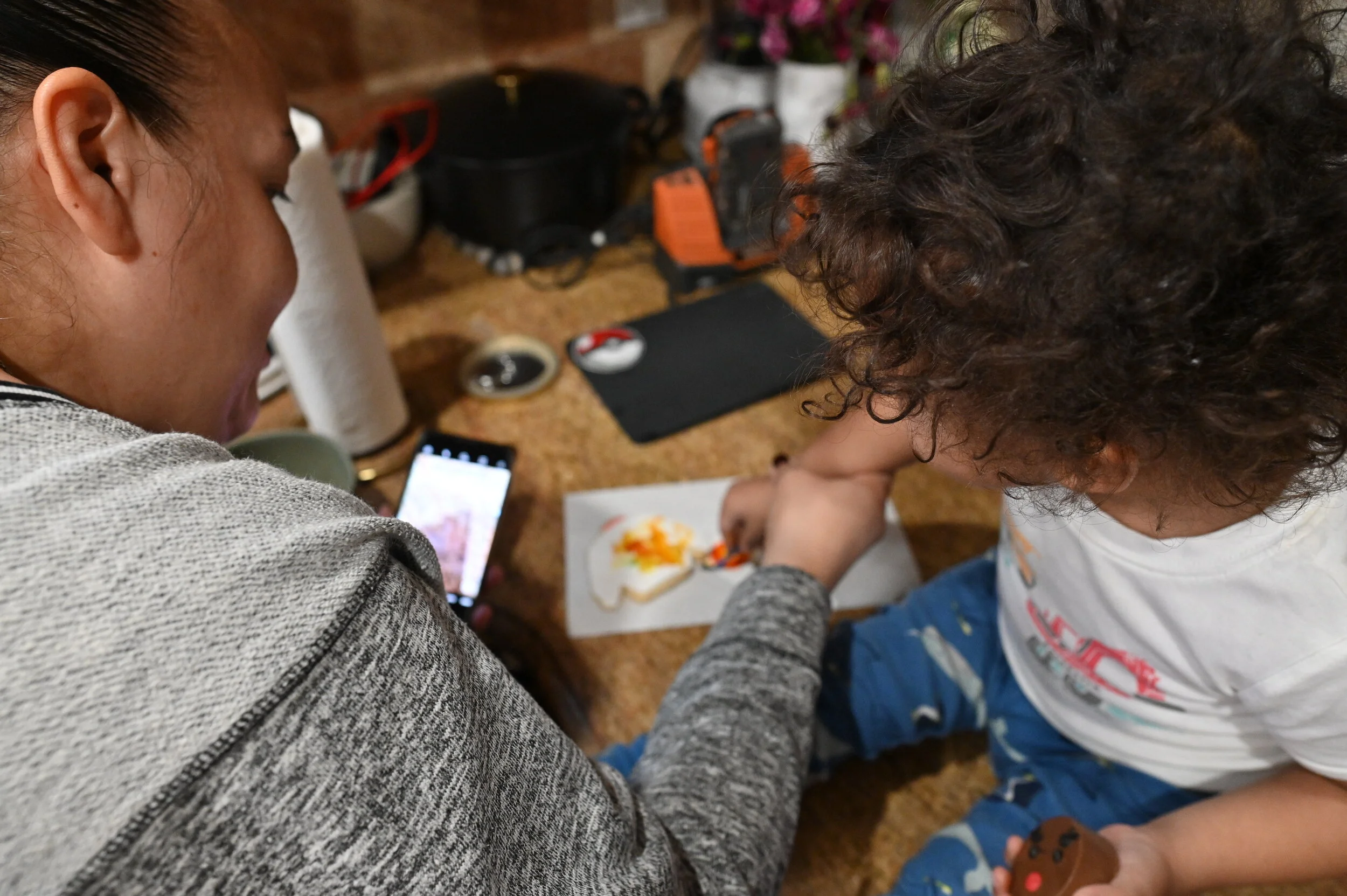
Yesterday, my mother and my kids painted cookie sweaters and gingerbread men. I was there for moral support and to photograph them. My intent in this situation was to capture the love and fun shared between my kids and their grandmother. My imagination wasn't completely off, but instead I had to be present and see the moment as it is in order to find the nuggets of beauty and love to point my camera at. As I was shooting, I took note of my settings quickly before the activity began.
I knew I wanted both of my kids and my mom and focus, so I put my aperture at f/4 so the depth of field was a tad less shallow, but shallow enough that you wouldn't see my laundry behind the kids. When focusing on one of my kids had switched to an aperture of F 2.8, that allowed me to use depth of field to focus on one of my kids.
So you can know they were the subject and they were what you were supposed to be looking at. It also allowed me to see more of the cookie in focus for context while still removing the background distractions. My shutter speed had to be quick enough to capture my fast moving son paint his cookie, but slow enough to let enough light in to actually see what I'm photographing.
I kept it at and above a shutter speed of 1/50th of a second. Usually with children. I shoot a bit faster, like 1/100th of a second to 1/250th of a second, but 1/50th worked for me because he wasn't moving too much. If I shot any faster, the images would be too dark and they wouldn't be salvageable in post-processing.
If I shot any slower, I'd have more light led onto my sensor, but my kids would be a blurring mess. For ISO, since I'm shooting my family and noise isn't really a big deal for me. I delegated my ISO controls to my camera, but instructed it not to go over ISO4000, that's the threshold for which I am comfortable with the noise produced by the high ISO count.
If my ISO was too low, like ISO 100 to 800, I wouldn't have been able to see anything in the photos because my sensor wouldn't have been sensitive enough for the output of my home lighting. I'll have the unedited photos on the blog posts for this episode, over at my blog, www.richardandphoto.com/blog.
Please follow me on Instagram @rich_photog . If you'd like to schedule your next portrait session or give us the honor of photographing your wedding, visit my website, www richardjnphoto.com or email Katherine@richardjandphoto.com where my partner will guide you along your journey with us.
Now don't forget to keep creating, stay humble and enjoy the journey.
The Richard J Nieves Photography Podcast Episode 4: ISO
Welcome to the third episode of the Richard J Nieves photography podcast. I'm Richard J Nieves portrait and wedding photographer, and owner of Richard J Nieves Photography located in the Bronx in New York City. It's great to have you here, ready to listen, learn and use the information we're putting out here for you today.
We'll be diving into the second section of the exposure triangle called shutter speed. Your DSLR or mirrorless camera has a small shutter that rises and lowers in front of your camera sensor at a specific rate managed by you or the camera's preference, depending on your current mode of shooting, the faster your shutter speed closes, the less light reaches your sensor, oppositely, the slower you show to speed, the more light spilling on your sensor.
Episode 4
ISO


The examples above show photos of Grogu and Darth Vader taken at multiple ISO values, with their aperture and shutter speed at f/4 and 1/50th respectively. The room they were taken in was lit with a minimus amount of daylight pouring in from the left side.
Image 1: ISO100
Image 2: ISO400
Image 3: ISO1000
Image 4: ISO5000
Image 5: ISO128000
Image 6: ISO25600
Image 7: ISO51200
Take note of the differences in exposure between each photo and amount of grain as you raise the ISO. There’s a simple trade off you’ll need to make in order to get your desired effect.
Transcript
Welcome to the fourth episode of The Richard J Nieves Photography Podcast. I'm Richard J Nieves, portrait and wedding photography, and owner of Richard J Nieves Photography located in the Bronx in New York City. It's great to have you here, ready to listen, learn and use the information we're putting out here for you today.
On today's episode, we'll be going over the ISO, the third portion of the exposure triangle, and probably one of the more frustrating, but useful aspects of photography that can truly make or break an image. The values of ISO usually range from 100 to 51,200, like my Nikon Z6, but it may change a little from camera to camera.
The ISO controls your sensor's sensitivit to light. The smaller the number, the less sensitive it is, whereas it is incredibly sensitive at higher ranges. The ISO is the biggest factor to consider when choosing your time of photographing. If you're shooting at night or in a dark space, expect your ISO value to range fairly high. That'll allow your camera to essentially see at night. If you're shooting in a dimly lit space at ISO 100, you're probably going to get a pretty dark image.
Now, if you're shooting in a space with tons of available light, whether that is daylight or a flash, you're going to want to keep the ISO at a fairly low value, like a hundred, the negative aspect of ISO was the fact that when you cranked up that ISO value, you start to introduce a lot of noise into the image.
Noise can make your image look grainy and sharpness is affected heavily in a negative way. With modern cameras, high ISO values are not a major issue, but with older cameras or less advanced cameras, they just don't have the best ISO performance. In specific use cases like shooting a wedding or a concert in a dark venue using only available light, your ISO will be high out of necessity. If you're shooting product or portraits in a studio, where you have access to powerful lighting tools, you'll see your ISO values go way down. Thankfully, most modern cameras have the capability to control ISO or pretty much all settings automatically for you.
They're smart enough to know when enough is enough, but you can also set parameters to fit your photography needs. I'll have samples in the blog post for this episode, over on my blog, www.richardjandphoto.com/blog. Please follow me on Instagram @Rich_Photog.
If you'd like to schedule your next portrait session or give us the honor of photographing your wedding. Visit my website, www.richardjnphoto.com or email Katherine@richardjnphoto.com where my partner will guide you along your journey with us. Don't forget to keep creating, stay humble, and enjoy the journey.
Search Posts
Post Archive
- Wedding Photography
- wedding planning
- photography
- podcast
- Wedding Videography
- Engagement Photography
- Engagement Session
- education
- Engagement Sessions
- wedding photography
- Weddings
- family photography
- Film Photography
- Wedding Planning Tips
- Portrait Photography
- Wedding Film
- Adventure
- Advice
- Bridal Style & Fashion
- Event Photography
- Help
- Suggestions
- Tips
- Wedding Inspiration
- birthday
- Bachelorette Party
- Backyard Celebrations\
- Birthday Photoshoot
- Boudoir Photography
- Bridal Boudoir Photos
- Bridal Party Inspiration
- Charity
- Donation
- Exploring
- Family Photos
- Groom & Groomsmen Inspira
- Jewish Wedding
- Jewish Wedding Traditions
- Korean Wedding
- Location
- NYC
- New Jersey Winter Wedding
- Personal
- Photography Adventures
- Real Weddings
- Travel Photography
- Unique Details
- Update
- Wedding Bouquets
- announcement
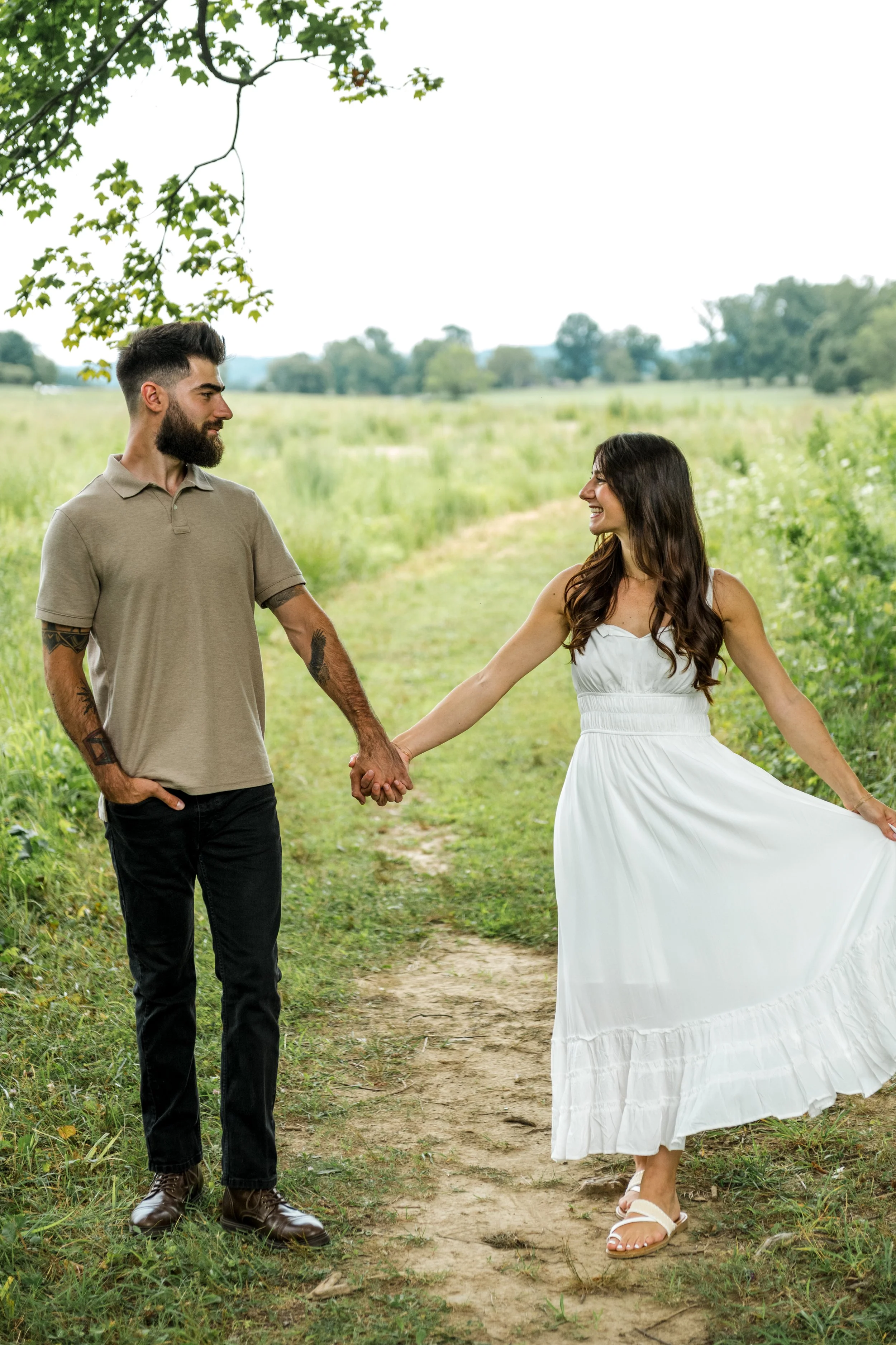
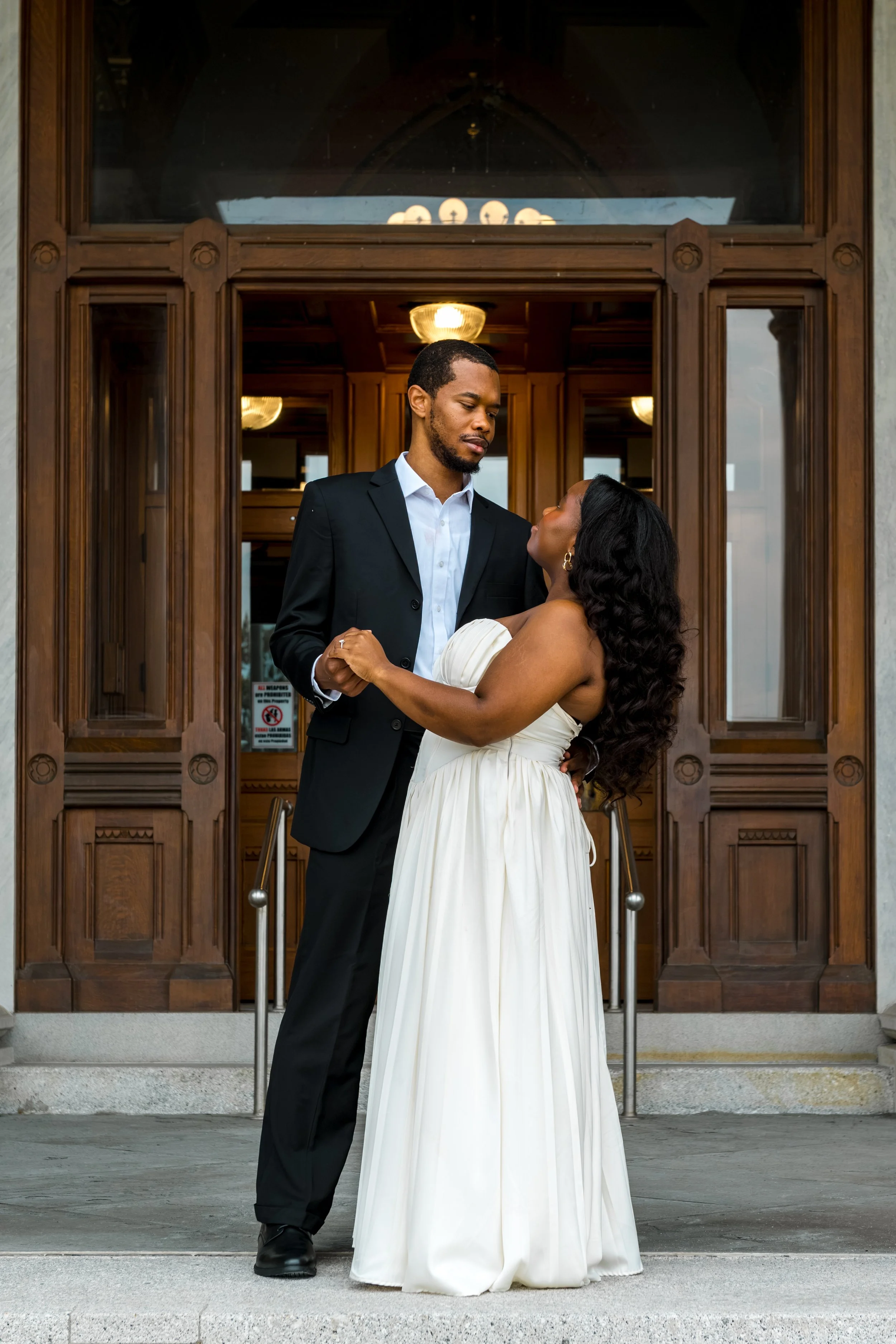
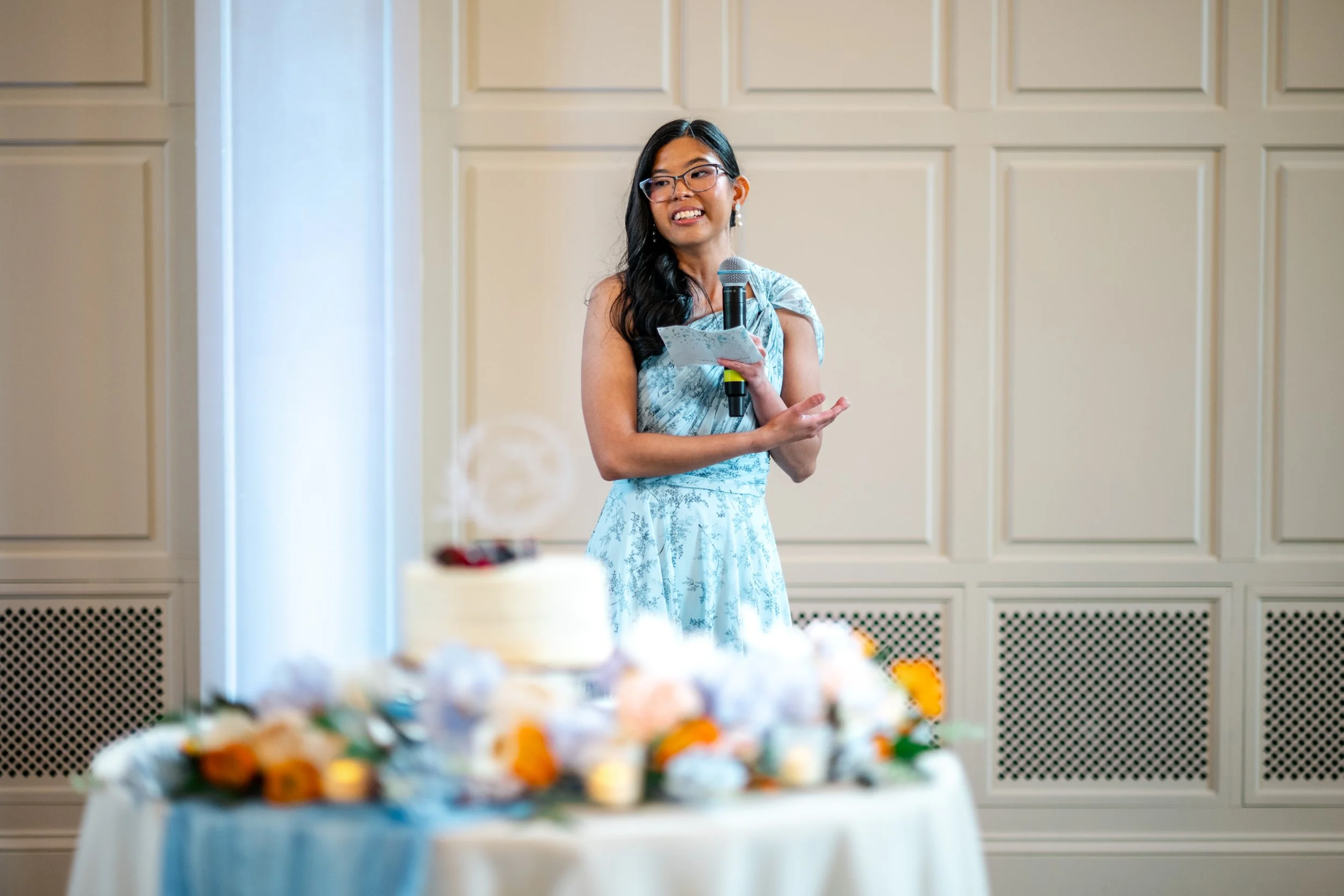
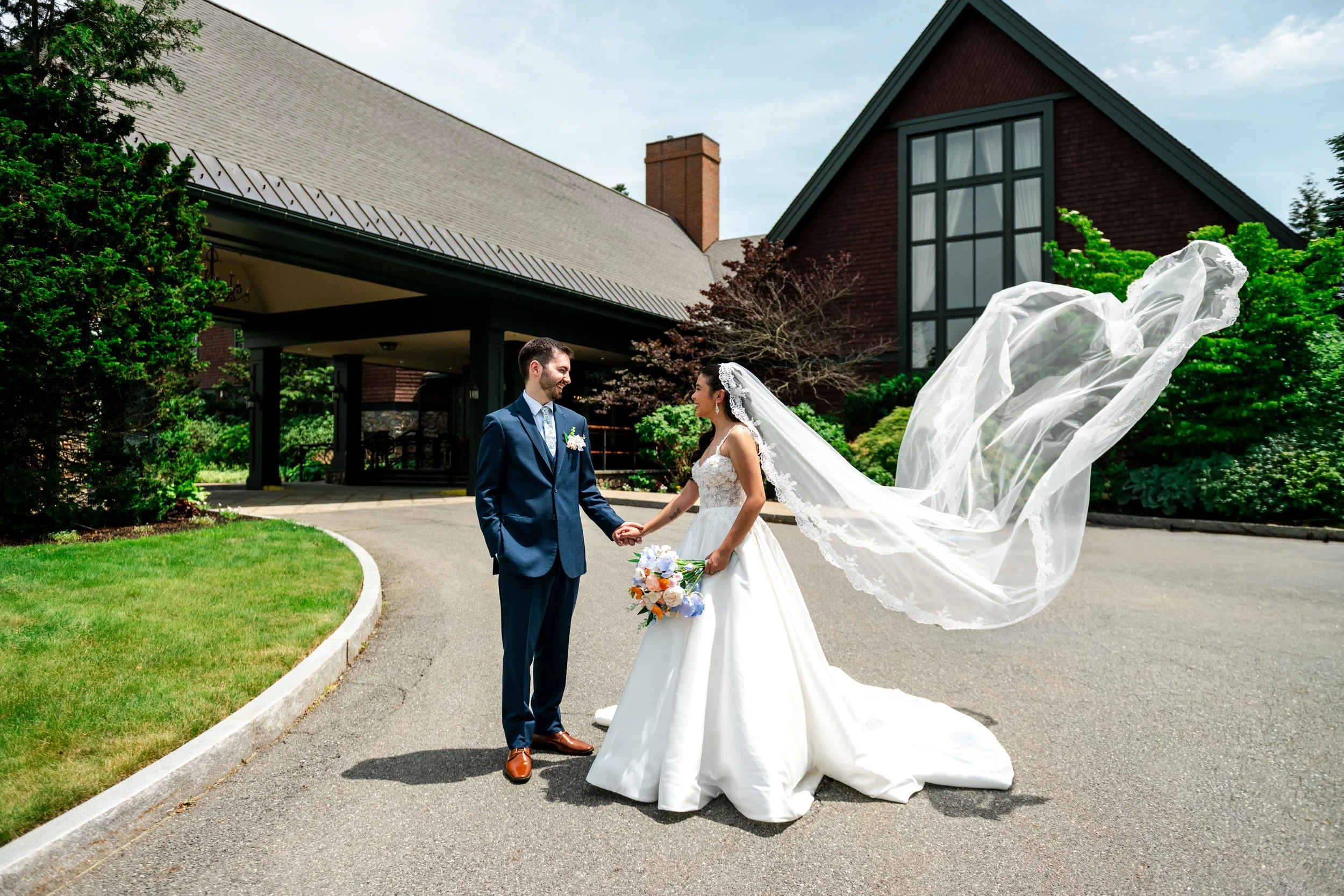
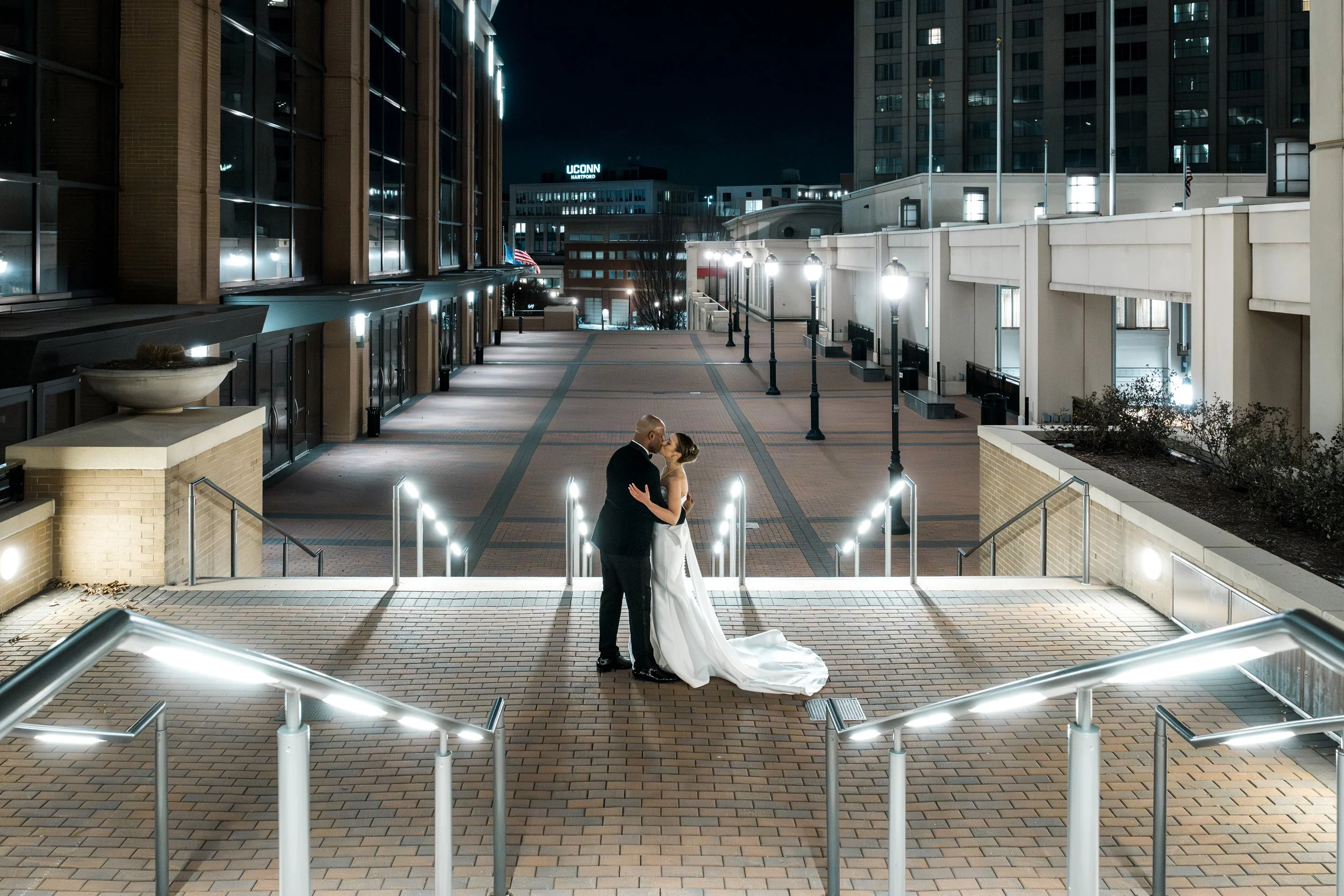


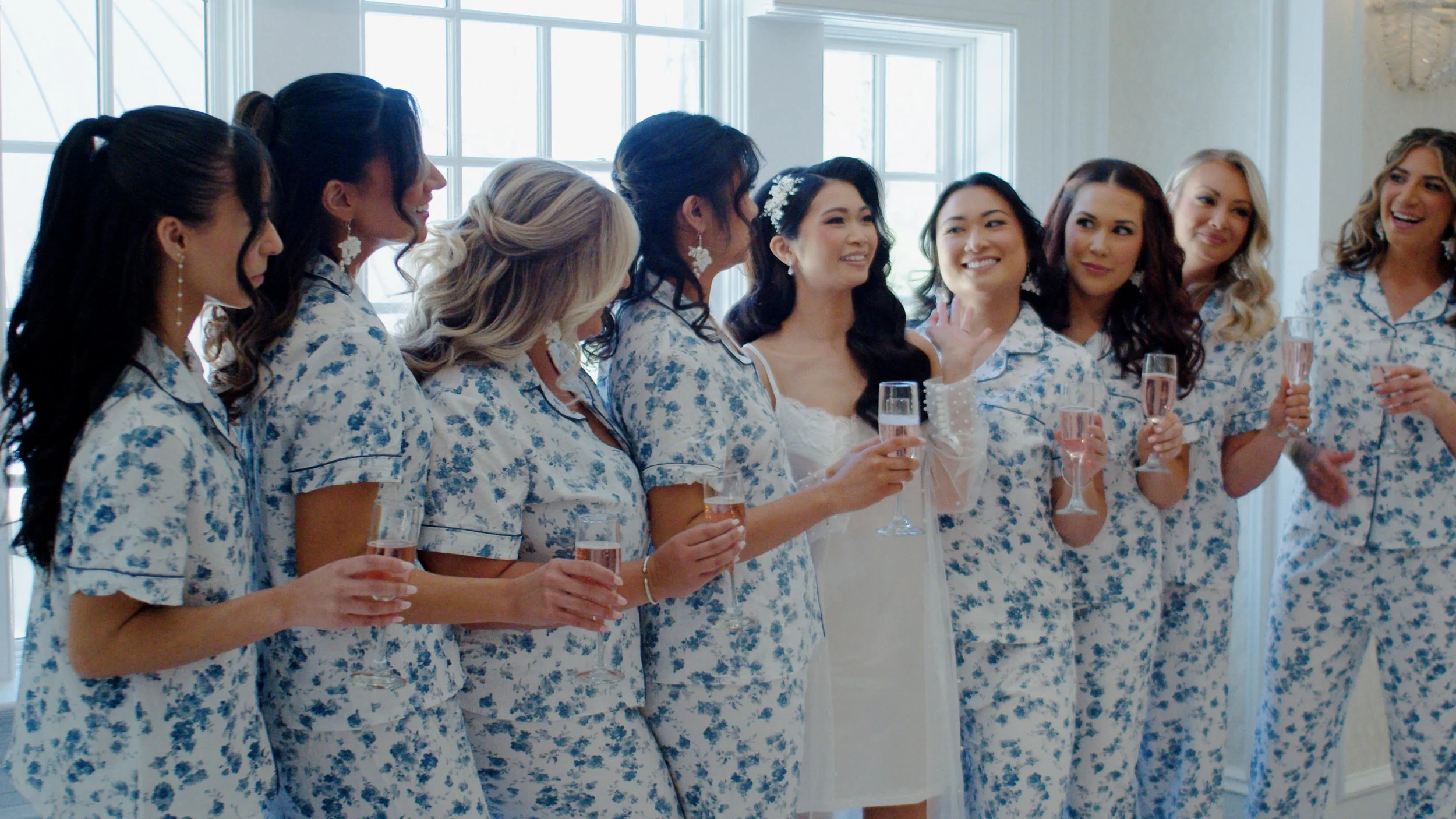
From quiet, emotional morning preparations in Easton to an unforgettable, high-energy reception at Mainline Catering and Events, Caitlin and Dale’s wedding day was filled with unscripted, genuine moments. Take a look inside their full wedding story.